

_NET 2.0 和 4.0 条件编译差异
扫描二维码随身看资讯
使用手机 二维码应用 扫描右侧二维码,您可以
1. 在手机上细细品读~
2. 分享给您的微信好友或朋友圈~
今天碰到这样一个需求,写的C#库,有时候需要在.net 2.0下编译,有时候需要在.net 4.0下编译,这个库里使用了lambda表达式,使用了扩展方法,使用了几个 System.Core.dll 引入的Action类型。为了在 .net 2.0 下能够编译成功,我写了一个文件 Patch.cs,定义了 System.Runtime.CompilerServices.ExtensionAttribute 类型,这样就可以在2.0下使用lambda表达式和扩展方法了,同时,添加了几个用到的System.Core.dll 引入的Action类型:
1: namespace System.Runtime.CompilerServices
2: {
3: public class ExtensionAttribute : Attribute { }
4: } 5: 6: namespace System
7: {
8: public delegate void Action();
9: public delegate void Action
10: }
11:
然而,要在.net 4.0 下编译,因为类型已经存在,必须注释掉Patch.cs,很麻烦。于是想通过条件编译来解决,即:
1: #if NET2
2:
3: namespace System.Runtime.CompilerServices
4: {
5: public class ExtensionAttribute : Attribute { }
6: }
7:
8: namespace System
9: {
10: public delegate void Action();
11: public delegate void Action
12: }
13:
14: #endif
问题是,.net 里没有定义和.net版本有关的指示符。怎么办呢?自己动手,丰衣足食,使用Build Events在编译之前自动侦测出项目所使用的.net版本,定义出我们想要的指示符。
在 C#模板编程(2): 编写C#预处理器,让模板来的再自然一点 一文中,写了一个程序 Csmacro.exe 来实现C#下的模板机制,本文在Csmacro.exe 的基础上,增加侦测项目所引用的.net 版本的功能。
原理:查找项目目录下的 csproj 文件,解析它,找到节点TargetFrameworkVersion,判断.net版本,然后生成一个Csmacro_Template.cs文件,在里面 #define 版本指示符。例如,对 .Net 2.0 项目,生成的 Csmacro_Template.cs 文件内容为:
#define NET2
修改后Csmacro的代码可在:https://github.com/xiaotie/GebCommon 上下载(目前只处理了 .net 2.0 和 4.0,如需要针对其它版本,可自行修改代码)。有了 Csmacro,一切就好办了。
第一步,把 Csmacro.exe 放在Path路径下
第二步,打开需要条件编译的项目,添加 Pre-build 事件:Csmacro.exe $(ProjectDir)
第三步,编辑源文件,如,Patch.cs 文件修改为:
1: #region include Csmacro_Template.cs
2: #endregion
3:
4: #if NET2
5:
6: namespace System.Runtime.CompilerServices
7: {
8: public class ExtensionAttribute : Attribute { }
9: }
10:
11: namespace System
12: {
13: public delegate void Action();
14: public delegate void Action
15: }
16:
17: #endif
#region include 是我引入的 Csmacro 宏语法。详见 C#模板编程(2): 编写C#预处理器,让模板来的再自然一点 一文。点击编译,系统会生成一个 Patch_Csmacro.cs 文件,内容如下:
1: #define NET2
2:
3: #if NET2
4:
5: namespace System.Runtime.CompilerServices
6: {
7: public class ExtensionAttribute : Attribute { }
8: }
9:
10: namespace System
11: {
12: public delegate void Action();
13: public delegate void Action
14: }
15:
16: #endif
第四步,把生成的 Patch_Csmacro.cs 添加到项目中来。
搞定以后,选择不同的target,编译时产生的就是对该target的条件编译!
- 1 远程文件获取与数据筛选_xmlhttp组件获取远程文件并筛选出目标数据
- 2 利用XMLHTTP 从其他页面获取数据_网络数据获取技术
- 3 XML Schema学习笔记_XML Schema学习指南
- 4 aspx安全漏洞防御_禁止跨站读取IIS信息cmd命令执行
- 5 Microsoft JET Database Engine 错误 80004005 错误解决办法_Access数据库错误修复
- 6 Android设备检测
- 7 ASP.NET 服务器应用程序不可用解决方法_IIS 注册问题排查
- 8 应用程序中的服务器错误及解决方法_应用程序服务器错误处理指南
- 9 ASP Cookies方法_ASP Cookie设置指南
- 10 Win8 RP8000 .NET Framework 3.5 安装指南_安装方法


-

PHP_Session问题集锦及解决方法_PHP Session 优化与调试
PHP_session_问题_解决方法_集锦
-
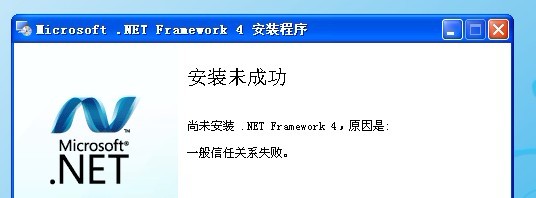
安装 .Net Framework 4 安装失败解决方案_解决信任关系错误
安装 .Net Framework4,怎么安装都不行,老是提示“安装未成功”、“